2012/03/18

Awesome Days: Event Countdown app with snapshots

Since we are living a busy life and got so many trifles to deal with, a event countdown app is necessary to help us remember birthdays, anniversaries, TV programs and even the days to work!? Of course you could use the default reminder of iPhone with limited interface; however, if you just want a more beautiful event countdown app which function more, why not try Awesome days?

App Link: Awesome Days
Price: 1.99
Rating:4.5/5


An example is ready for you for the first launch, the interface is clean and elegant
  1. Event you've created, what makes Awesome days special is you can attach a related photo on it, tap to view and edit the event
  2. Add a new event
  3. Edit
  4. Search among events
  5. Filters for dates, title and modified dates
  6. Settings
  1. Get back to the main screen 
  2. Edit the content of this note
  3. Share
  4. Delete
And tap Edit on the left up corner to edit the background & photos

As you will see above, lots of default style themes, wallpapers and decorations are available, some items are in-app purchase.

Select different stickers and fonts

Share your photo note 

2012/03/17

[Free] Paper'd: find the wallpaper to show your personality or taste!


Have you searched for thousands of iPhone wallpapers and still can't find the one? Want a wallpaper to show your personality or taste? Paper'd is your best answer! With paper'd, you are able to free download 200+ frequently updated wallpapers and preview the wallpaper before applying, furthermore, 260+ additional ones are for in-app purchase. Launched in 3/12 and become the app of the week, let's see how paper'd can satisfy your need!

App Link: Paper'd
Price: Free
Rating: 4.5/5

A thoughtful instruction appears on screen.

Preview to pick your favorite wallpaper, the scroll bar below helps you to quickly view more ones.

The Filter button works more like a list view, you can see a short description for each wallpaper and see if it's free to download it.

Below the wallpaper scroll bar is four tabs, you can see how to download, set up wallpaper, give feedback and rate paper'd

When you choose a wallpaper, tap Preview to see how it looks like before applying.

Once you choose a wallpaper, you can save entire collection or save this wallpaper only.

If you tap save entire collection, you will see lots of wallpaper in your Camera Roll.

On screen tips shows to teach you how to set this picture as wallpaper.

Wallpapers are really artistic and beautifully-designed, I love it so much and you should try it as well!

[Free] MasterHits: hit the tumbler as quickly as possible!


Another Japanese cartoon style simple game is coming! Hit the body parts of 30 tumblers without hitting the head, let's see how fast you can accomplish it, ready? Go!!!

App Link: MaterHits
Price: Free
Rating: 4.5/5

Four items on the menu:
  1. Start the game
  2. Personal record top 10
  3. Leaderboards 
  4. Company overview
OK, let's start the game now, the rule is very simple: there are 30 tumblers in total, you can only hit the body part, once you've done with a tumbler, move to next one, if you hit the head, the game is over.
  1. Hit
  2. Move to next tumbler
  3. Pause
  4. Remaining tumbler
  5. Seconds you've spent
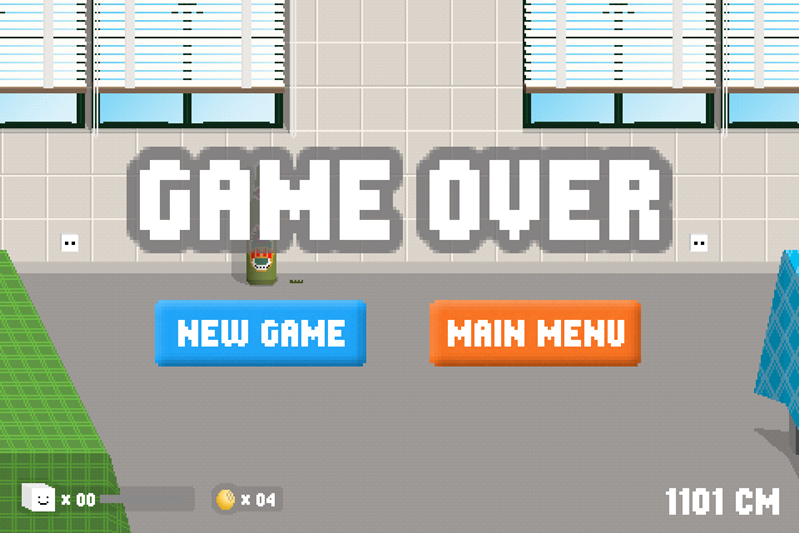
Once you hit the head, the head enlarges instantly and the game is over, tap 再挑戰 to start again or another button to back to menu.

Tap pause during the game, you will see this sheet
  1. Resume the game
  2. Restart the game
  3. Back to menu
When done with 30 tumblers, you will see the seconds you've spent, so far the best player spent 11.91 seconds to finish it, try if you could beat him/her!

Movie360:My movies, my life!

Developed by camera360, movie360 makes you a great movie producer! With 13 types of classic and attractive movie effects and a marvelous pause feature to switch effects, you can produce your own masterpieces much easily. Files produced by movie360 is much smaller so you don't have to delete files all the time, and the recording time can last 2 hours long, what a wonderful movie maker!

App Link: Movie360

Price: 2.99
Rating: 4.5/5

  1. Preview the effect in the large screen
  2. Zoom in/zoom out 
  3. Select the movie effect you like
  4. Start recording, and you can switch to different effects below anytime during recording, it's really incredible!
  5. Pause
  6. Settings, adjust quality, resolution, and the file location
  7. Tap to view your works
Settings

Manage your recordings here
  1. Tap to play your movies
  2. File viewing mode: cover flow mode or grid mode
  3. More actions: delete and export to Camera Roll
Cover flow mode, swipe left or right to view movies, notice the delete and export icons are on the corners.

Delete all or selected movies

[Free] Jeremy Lin Asian-American Basketball Phenom: all you have is Lin!

With the third straight win of Knicks, linsanity is back again! If you still need an exclusive Jeremy Lin app, this is the one better than NY Knicks app, download it for free now!


iTune Link:Jeremy Lin
Price:Free
Ratings:5/5
  1. It shows Lin's latest tweet on the launch screen
  2. Tap Next to main page, it would be better if the color contrast is higher.
  1. The dot indicators are for photo covers, just swipe left and right to view photos.
  2. Below the photo covers are five main segments: News, Tweets, Photos, Videos and Wiki
  3. The number of users download this app
News and tweets. The icon on the upper right corners are not buttons, suggest to remove them for less confusion.

Photos preview

Videos preview

  1. Tap to edit your profile
  2. The number of users like this app
  3. Join discussion with users downloading this app as well
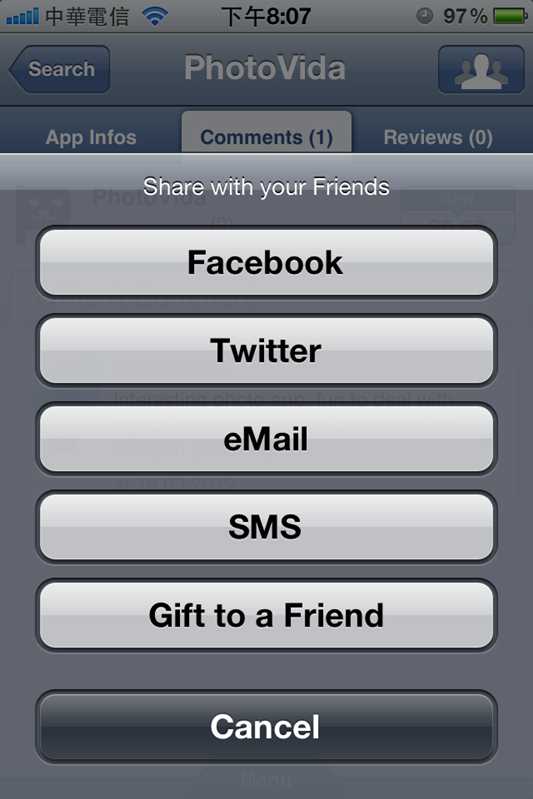
  4. Share this app via Facebook or email
Tap the eye icon on the left down corner, you can edit your profile info, and use this ID to join discussion on this app.

Tap to add comments, show your support to Lin!

Move the Box: clean the dock, do it fast! (Free versions are available! )

Move the box is a popular logic puzzle game, the rule is simple but it's addictive & challenging to come up with the best strategy to solve it!

Price: 0.99
Rating: 4.5/5

Watch the trailer first.

There are 7 worlds (cities) for the game, each city has 24 levels, so it do take sometime to complete all. Swipe left or right for different world.

  1. You have to move, drop and swap boxes around to make 3 or more of the same one   in a line to disappear
  2. The max moves you could have, you can't complete the level with too many moves even if all boxes have disappeared.
  3. Redo
  4. If you can't solve the puzzle, tap to purchase hints pack
Purchase hints pack to solve the puzzle, you can rate the game here.


[Free] Tofu go: save the lovely tofu from evil chopsticks

With the pixelicious graphics, Tofu go is a adorable game. Tap the tofu to jump over hot pot materials on the desk and eat tofu materials above to enlarge the size. Save the tofu from evil chopstick behind is your mission, go!

App Link: Tofu go
Price: Free
Rating: 4.5/5

Hungry people want to enjoy the hot pot and of course the lovely tofu would be one of the hot pot materials, so please help the last piece of tofu escape from the evil chopsticks! 

Before start playing the game, read the rule first:

As the tofu runs along the way, tap it to jump over hotpot materials on the desk. There are some tofu materials above such as saya mik or bean, tap to jump the tofu to eat those materials to enlarge the size. The larger the tofu is, the more obstacles he can overcome, even if tofu bumps into hot pot materials on the desk, he won't get smashed easily.

After having black saya milk, small tofu becomes super-size! Check the remaining number of tofu on the left down corner, the bean you've collected (20 beans for a life) and the distance on the right down corner.

Tofu would run over many desks, before a cliff ahead, you will see a warning, hold to get more energy to jump the tofu much higher, and since it's tofu, if you hold too long the tofu still would be smashed.

When the game is over, check out the distance you've gone and try again to make it better! 

2012/03/16

[Free] AppZappPush: your perfect iPhone app manager!


Are you a app store junkie and would like to know the up2date info of iPhone apps?  Do you want to mange apps systemically including viewing appstore chart, app watchlist, set up price alerts, read the bargain guide and share app info with your friends, AppZappPush will be your perfect iPhone app manager!

Pros:
  • Complete and great features to manage iPhone app info such as alerts and watch list.
  • Quick filter for retrieving accurate info
  • Sync your Apps with AppZappPush together for easier monitoring and sharing.
Suggestions:
  • Too many options makes it looks complicated at the first sight, suggest to rearrange the information architecture.
  • The same options appear in different places inside AppZappPush makes the overall architecture confusing, sometimes users would get lost, suggest to reduce options to make the interface more clear such as integrate Community and My AppZapp and rename it.
App Link: AppZappPush
Price: Free
Rating: 4.5/5


Watch the App trailer first : )

Once you launch the app, you will see several options on the main screen, swipe left to view page 2 and search for any app in the search field instantly.

Preview of Live Stream, Top List, Community and News

  1. Back to menu, on the bottom you will see the menu button as well
  2. Quick filter, swipe left or right for more filters, tap to view the drop-down list and select for your desired apps, this is a very convenient design.
  3. App info at a glance, green thumbs is the positive comments from AppZappPush users, star ratings from Apple Store, tap for further info.
When you enter the app info page, three tabs are ready for you, the App Infos has very complete and great features which is not available on Apple Store such as set up alerts, Apps you may like, App Stats , price chart and so on.

If you like this App, tap the icon on the right upper corner to share.

The other benefit of AppZappPush is to sync your Apps with it for easier manage your Apps. Tao i to start tour as below

In the community, sync your Apps with AppZappPush first so that you are able to monitor them and share App info here, you can even make new friends via iPhone Apps, isn't it a wonder?

 Actually I like this option very much since it provides a digest of Apps per day, if I were the user interface designer, I would put more emphasis on this one so that users won't be dizzy while using for the first time. I remembered that Facebook used to adopt this kind of grid menu but give up and redesign the interface to make it simpler, maybe AppZappPush could refer to the new design of Facebook App. 

´