Showing posts with label Lifestyle. Show all posts

2012/03/18

Shot MeMo: A picture is worth a thousand words!


As you know a picture is worth a thousand words, what will be better than a photo when you have to take notes? With different papers to suit your photos, Shot MeMo is alternative choice for photo note!

App Link: Shot MeMo
Price: 0.99
Rating: 5/5
Onscreen instruction shows when you launch Shot MeMo for the first time.

  1. Launch the camera and you are able to preview the photo above; however, if you are not satisfied with the shot, you have to tap 2 to get back to menu, it's somewhat inconvenient.
  2. Menu with options of Camera, Album, Settings and Info.
  3. Switch the camera among front and back
  4. Drag up or down to adjust the layout of text
  1. After taking a photo, the icon becomes as share and you can share this photo note via twitter, facebook, tumlbr, evernote, flickr and email.
  2. Select different papers
  3. Tap to write
  4. Save this photo note to Camera Roll
Choose different papers to suit your photo note perfectly.

While editing text, you can also change time, location, fonts and alignment as well.

Select image size while saving photo note or emailing it.

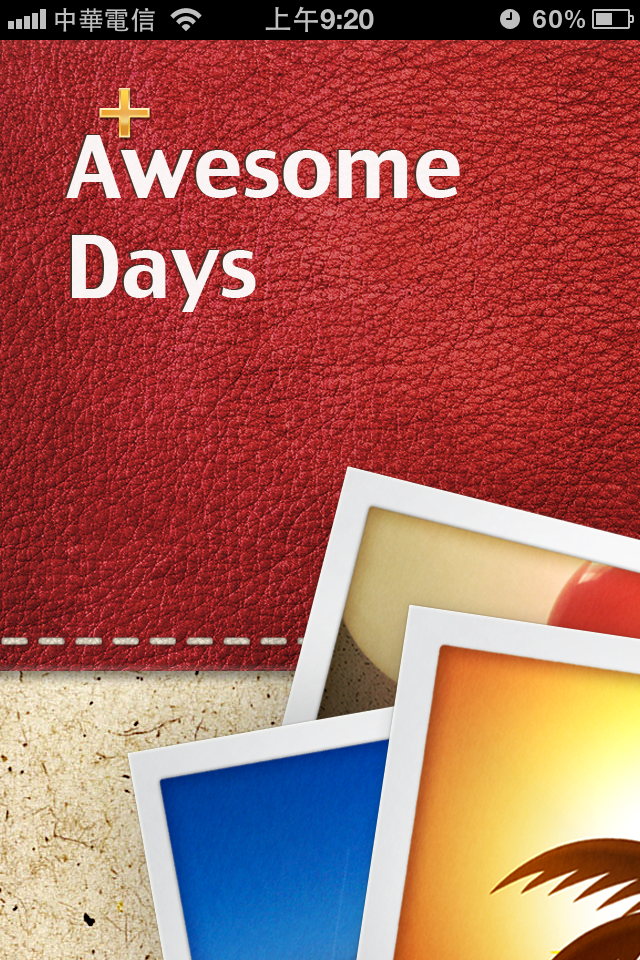
Awesome Days: Event Countdown app with snapshots

Since we are living a busy life and got so many trifles to deal with, a event countdown app is necessary to help us remember birthdays, anniversaries, TV programs and even the days to work!? Of course you could use the default reminder of iPhone with limited interface; however, if you just want a more beautiful event countdown app which function more, why not try Awesome days?

App Link: Awesome Days
Price: 1.99
Rating:4.5/5


An example is ready for you for the first launch, the interface is clean and elegant
  1. Event you've created, what makes Awesome days special is you can attach a related photo on it, tap to view and edit the event
  2. Add a new event
  3. Edit
  4. Search among events
  5. Filters for dates, title and modified dates
  6. Settings
  1. Get back to the main screen 
  2. Edit the content of this note
  3. Share
  4. Delete
And tap Edit on the left up corner to edit the background & photos

As you will see above, lots of default style themes, wallpapers and decorations are available, some items are in-app purchase.

Select different stickers and fonts

Share your photo note 

2012/03/17

[Free] Paper'd: find the wallpaper to show your personality or taste!


Have you searched for thousands of iPhone wallpapers and still can't find the one? Want a wallpaper to show your personality or taste? Paper'd is your best answer! With paper'd, you are able to free download 200+ frequently updated wallpapers and preview the wallpaper before applying, furthermore, 260+ additional ones are for in-app purchase. Launched in 3/12 and become the app of the week, let's see how paper'd can satisfy your need!

App Link: Paper'd
Price: Free
Rating: 4.5/5

A thoughtful instruction appears on screen.

Preview to pick your favorite wallpaper, the scroll bar below helps you to quickly view more ones.

The Filter button works more like a list view, you can see a short description for each wallpaper and see if it's free to download it.

Below the wallpaper scroll bar is four tabs, you can see how to download, set up wallpaper, give feedback and rate paper'd

When you choose a wallpaper, tap Preview to see how it looks like before applying.

Once you choose a wallpaper, you can save entire collection or save this wallpaper only.

If you tap save entire collection, you will see lots of wallpaper in your Camera Roll.

On screen tips shows to teach you how to set this picture as wallpaper.

Wallpapers are really artistic and beautifully-designed, I love it so much and you should try it as well!

2012/02/12

Timenotes: simple but elegant countdown reminder

You might not find  a simpler reminder app than Timenotes, but that's the simplicity that counts. With the list, you can view all the events in a glance, with the reminder, you won't miss important events anymore!


App Link:Timenotes
Price:0.99
Ratings:4.5/5


Pros:
  1. So simple to get into it almost immediately
Suggestions:
  1. More themes corresponding are available or allow users to customize their own themes since so many birthdays or anniversaries to remember.

2012/02/10

[Free] Flipboad: personalized magazine just at your fingertips!

Flipboard has been Apple's iPad App of the year and one of Times' top 50 innovation, it allows users to personalize their favorite contents and turn into a stylish and brand new magazine-styled viewing experience, now iPhone version is available now, this is the great app you can't miss!

Link:Flipboard
Price:Free
Ratings:★★★★

Pros:

  1. Novice reading experiences by flipping through your fingers, users can read information very easily even with one hand.
  2. Beautiful & modern interface design
  3. With instapaper & read it later, mute authors to give consideration to reading habits.
  4. Able to sync iPhone & iPad to provide a unify experience
Suggestions:
  1. Kind of complicated to navigate through contents for the first few times, with so many arrows on the interface, although users can navigate anywhere easily, but might feel lost sometimes.
  2. Users can't be sure if their tap will work or not, no obvious indicator or design on tappable area. 
  3. Actions are not consistent enough, take author images for example, tap images will lead to content preview or mute page.


2011/09/23

[iPad] [Free] MUJI to Go: minimalist handy tools


If you love travel or live with high mobility, this app is just right for you! No complicated functions, but only gather functions a traveler will need and present them in a simple way!


Link: MUJI to Go
Price: Free

Rating:3.5/5

Pros:
  1. Minimalism and elegant user interface design
  2. Convenient and handy tools
  3. Consistent in interface design

´